SCREEN MEMORYMACOS 14+
Afterimage
Find anything you've seen on your Mac's screen in seconds; the recordings never leave this Mac.
- PRICE
- $14.99
- ONE-TIME · TRY 699.99
- VERSION
- 1.0.0
- 5.4 MB ·
Free for 30 days; one license covers 3 Macs.
Payments are processed by Polar (polar.sh) as merchant of record. Refunds within 14 days of purchase, no questions asked. Terms and refunds
Open the DMG and drag the app into Applications. It's signed and notarized by Apple.
SCREENS
WHAT IT DOES
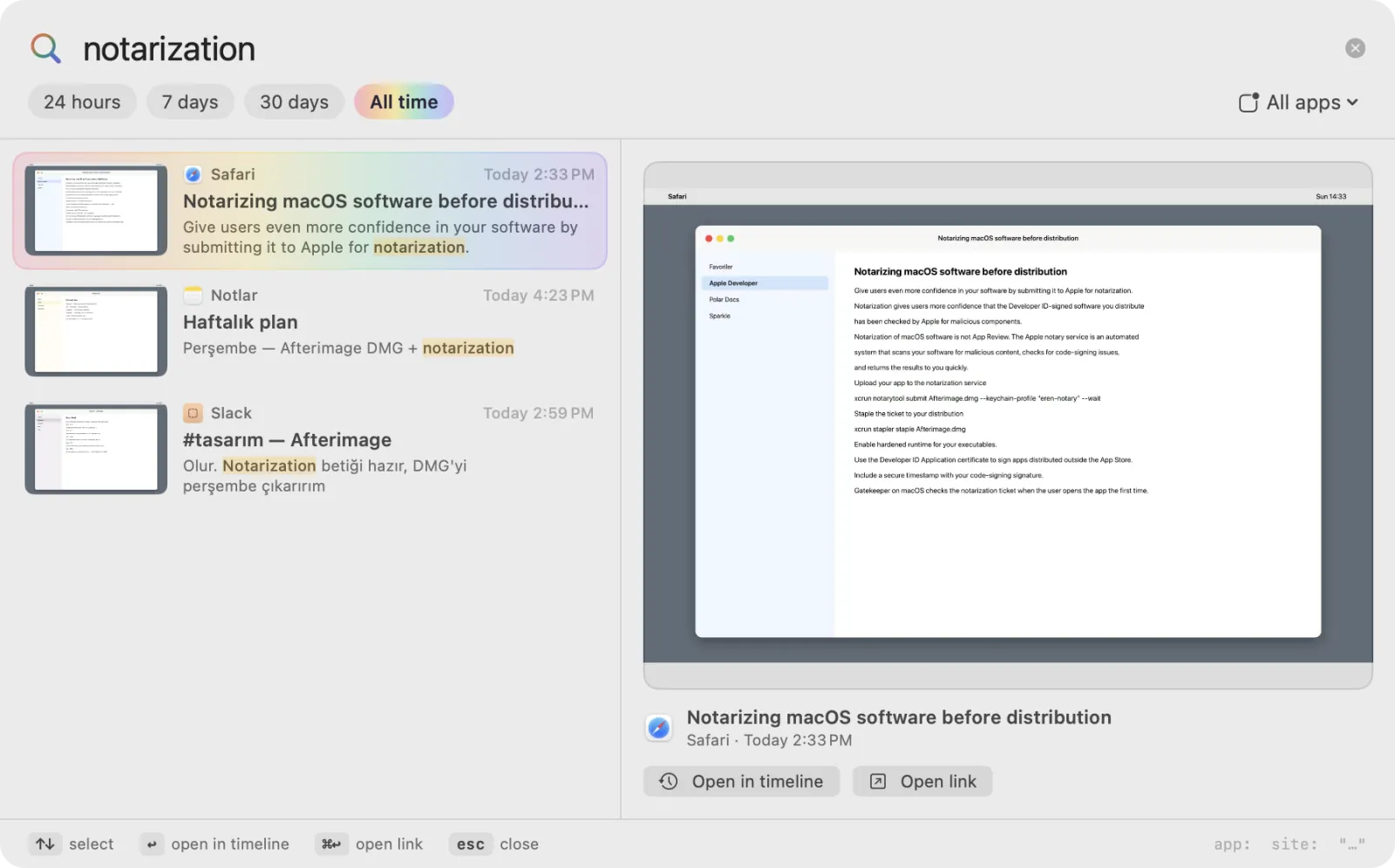
- ⇧⌘Space opens a search over any app: a word, an ID, a link or a message comes back in seconds.
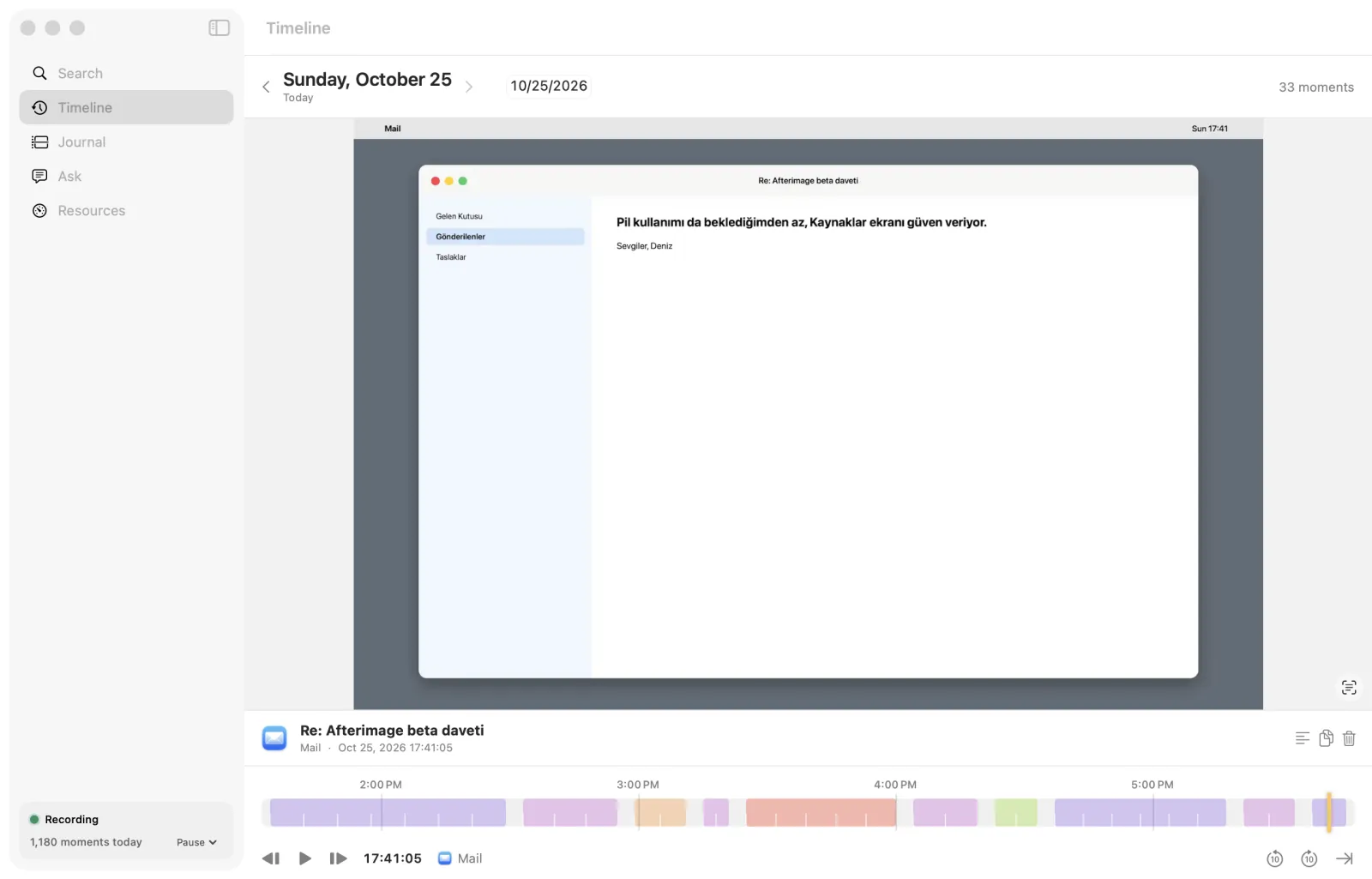
- The timeline rewinds your day like a video, so you find the moment as it was on screen.
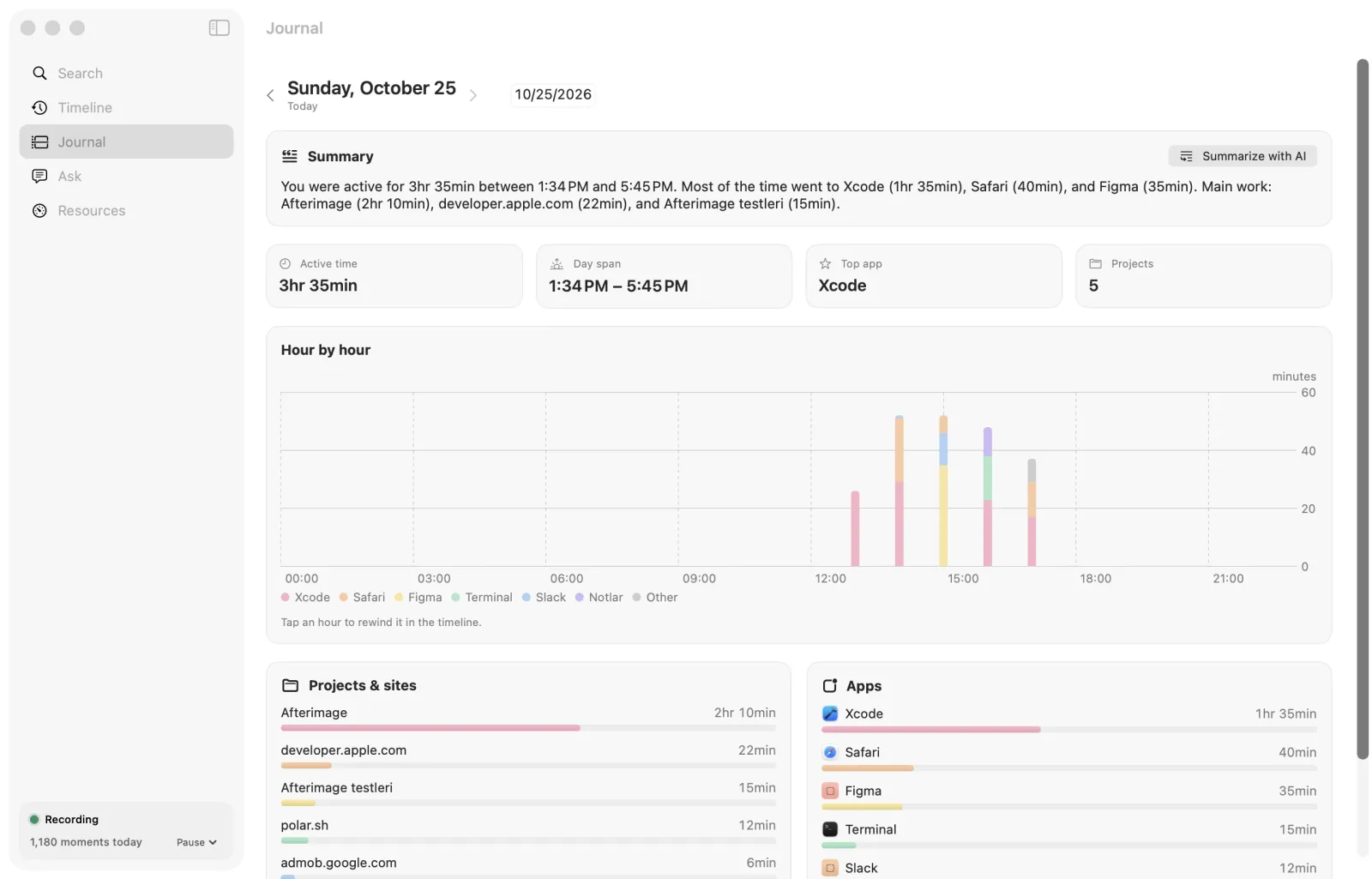
- The journal works out which apps and projects your time went to.
- Password fields, private browser windows and the apps you exclude are never recorded.
- It records only when the screen changes and leaves heavy work for when you're plugged in.
REQUIREMENTS
- macOS
- 14 Sonoma or later
- Processor
- Apple silicon and Intel
- Permissions
- Screen Recording is required. Accessibility is recommended: it reads text from apps with less battery and tells private browser windows apart.
- AI
- Ask needs macOS 26 and Apple Intelligence. Without them, the daily summary is written from a template.
- Disk
- Up to 10 GB by default; change the limit in Settings.
PRICE AND LICENSE
Everything is open for the first 30 days. After that it's $14.99, paid once; no subscription.
One license covers 3 Macs. When the trial ends, recording stops, but you can still search everything recorded until then.
Payments are processed by Polar (polar.sh) as merchant of record. Refunds within 14 days of purchase, no questions asked.
Your license key, receipts and refund requests are on your Polar customer page: polar.sh/erenclick/portal
Terms and refundsPRIVACY
Recording, text recognition, search and AI all run on this Mac. It goes online only to validate your license (Polar) and to check for updates (eren.click); your screen images, text and activity are never sent anywhere.
Afterimage privacy policySUPPORT
destek@eren.click
If something breaks, or you have a question or an idea, write to this address. Mention the app and its version and I can look faster; the Support button in the app's About window fills in both.
SEND AN EMAILQUESTIONS
- What happens when the trial ends?
- Recording stops, and you can still search everything recorded until then. Enter a license key and recording starts again.
- How many Macs can I use my license on?
- 3. When you leave a Mac, choose “Remove from This Mac” in the license section of Settings and the slot moves to your new one.
- Can I get a refund?
- Yes. Within 14 days of purchase you get a refund, no questions asked. Polar handles it: ask through the link in your receipt email or on your Polar customer page (polar.sh/erenclick/portal). If you get stuck, write to destek@eren.click.
- How do updates work?
- Once a day the app checks eren.click for a new version. If there is one, it asks you first; say yes and it downloads and installs it. You can also check any time with “Check for Updates…” in its menu.